How Streamers Earn: A Tale of Three Platforms
The revenue models across the major streaming platforms vary significantly, a key factor in a streamer's earning potential.
- Twitch: As the long-standing leader, Twitch has a well-established monetization system. Streamers earn income from subscriptions, a 50/50 split with Twitch for most creators. Viewers can also donate via "Bits" (Twitch's virtual currency) and through direct tips. Ad revenue is another source, though it often accounts for a smaller portion of earnings for many streamers. While top-tier streamers like Kai Cenat can earn an estimated $600,000 per month, the reality for most is much more modest. Only a tiny fraction of streamers make a full-time living from the platform.
- Kick: Kick has rapidly become a strong competitor by offering a more generous revenue model for creators. The platform provides an industry-leading 95/5 revenue split, with streamers keeping 95% of subscription fees. This model makes Kick particularly attractive for streamers focused on building a loyal subscriber base. For a $4.99 subscription, a streamer on Kick earns $4.74, compared to the typical $2.50 on Twitch. Kick also has a unique Creator Incentive Program that provides guaranteed hourly pay to some streamers, though this is not available to everyone.
- TikTok: The monetization model for TikTok Live is primarily based on virtual gifts from viewers. During a livestream, viewers can purchase and send virtual gifts that the streamer can then convert into "Diamonds," which can be cashed out for real money. TikTok also has a Creator Rewards Program for high-quality content and allows creators to sell products through TikTok Shop.
The Equipment You Need to Start
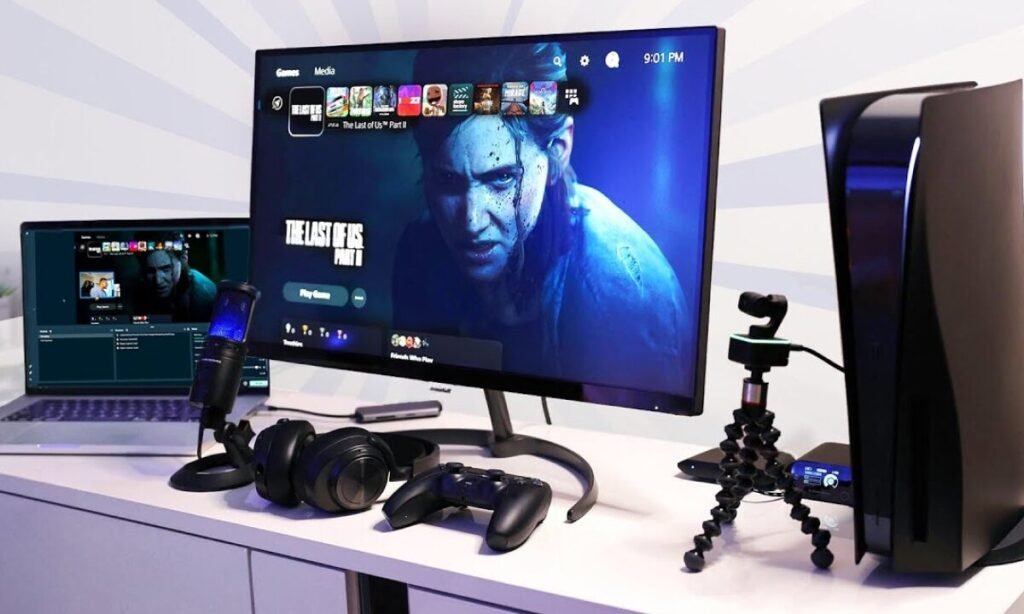
You don't need a professional setup to begin, as you can start with a basic, affordable kit and upgrade as you grow. The essentials include:
- A Computer: A capable PC or laptop is the core of your setup. It must be powerful enough to handle both the game or content and the streaming software simultaneously without lag. A stable and fast internet connection, preferably wired with an Ethernet cable, is also crucial to avoid buffering.
- A Microphone: Good audio is more important than high-quality video for many viewers. A simple USB microphone like the Blue Yeti or a similar budget-friendly option can provide a significant upgrade over a built-in laptop mic.
- A Camera: While some professional streamers use high-end DSLR cameras, a decent webcam or even a modern smartphone can produce a high-quality video feed for a beginner's stream.
- Streaming Software: Free software like OBS Studio or Streamlabs allows you to manage your video and audio inputs, add overlays, and control your broadcast.
Popular Games to Start With
Choosing the right game is key to attracting an audience. While it might be tempting to stream a huge title like Fortnite or League of Legends, these games are highly saturated with top-tier streamers. New streamers may find it easier to build a community around games that are popular but have a more manageable viewership.
Games with creative elements, such as Minecraft or Roblox, are excellent choices because they offer limitless possibilities for unique content. Single-player adventure games like The Legend of Zelda can also be great for streamers who enjoy telling a story and interacting with their chat. For those who prefer competitive play, titles like Valorant or Dead by Daylight offer fast-paced action and a dedicated fanbase. The "Just Chatting" and "IRL" categories are also immensely popular and don't require any specific game at all.